
Analytics Dashboard: Live Traffic, Sales Funnel & UTM Attribution
Monitor real-time visitor sessions, Gross Merchandise Value (GMV), conversion funnels, and marketing campaign attribution.
- Track live active visitors, today's gross sales (GMV), and average order value in real time.
- Analyze your e-commerce checkout funnel: Product Views > Add to Cart > Checkout > Completed Purchase.
- Attribute sales revenue to specific marketing channels (Instagram, Facebook Ads, TikTok, Google) using UTM parameters.
- Measure revenue generated autonomously by Aura Bot versus human staff.
Before configuring this feature, confirm that your store meets the following requirements:
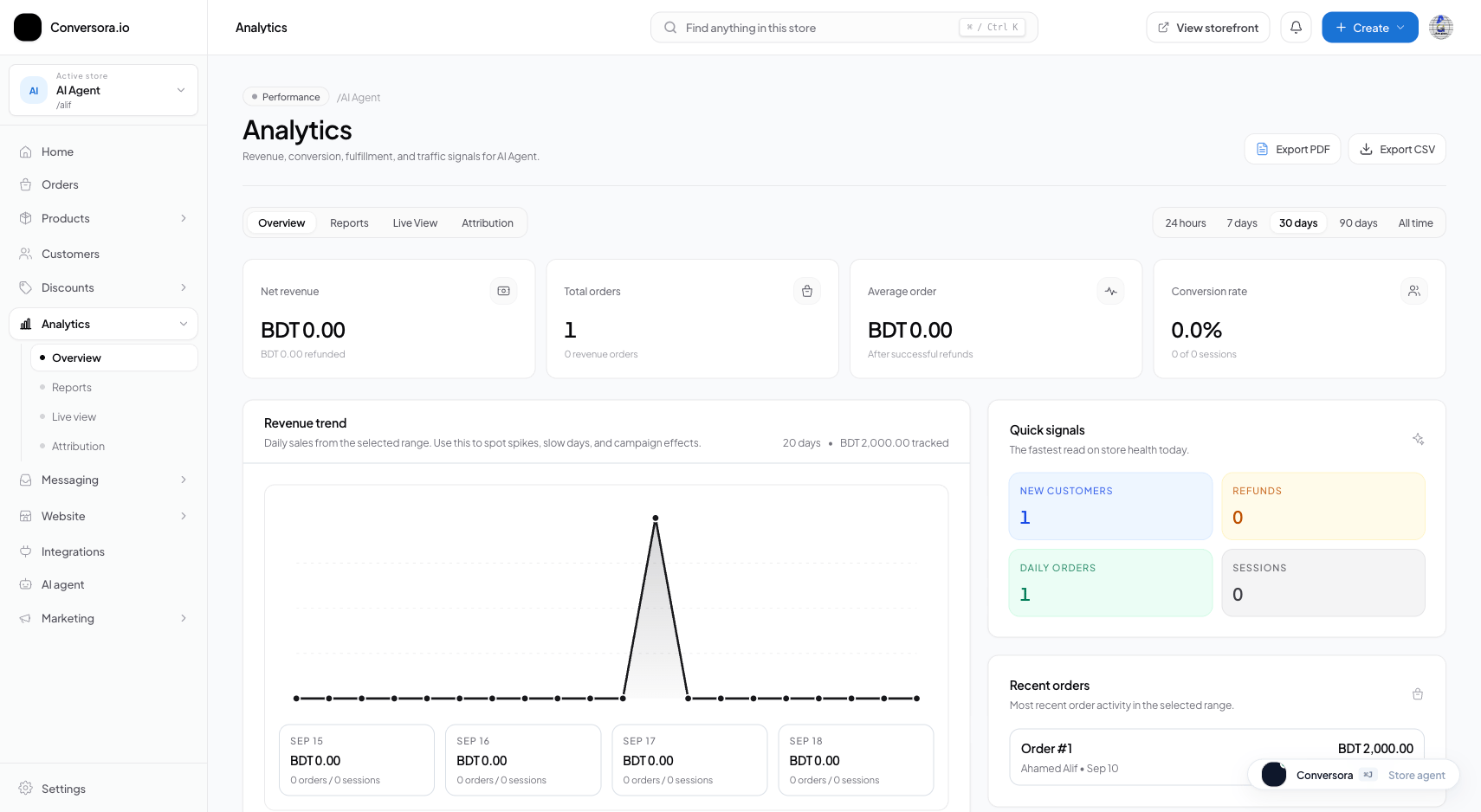
Interface view for this workflow.
2. Tracking UTM Campaign Attribution
When you run social ads or influencer campaigns, append standard UTM parameters to your product links (e.g. ?utm_source=instagram&utm_campaign=summer_sale).
The Attribution panel breaks down total orders and revenue generated by each marketing source, so you know exactly which campaigns are profitable.
Open Attribution View
Switch to the 'Attribution' tab in the Analytics workspace.
Analyze Sources
Review the revenue table showing sales grouped by utm_source, utm_medium, and referral domains.
Practical Business Scenarios
How leading merchants implement this functionality in daily operations:
Troubleshooting & Common Issues
Diagnose and resolve frequent failure points quickly:
Frequently Asked Questions
Does Conversora analytics slow down my storefront loading speed?
No. Telemetry events are dispatched via navigator.sendBeacon in the background, consuming zero main-thread CPU time.