
Customer Notification Templates: SMS, WhatsApp & Email Alerts
Automate transactional customer alerts for order confirmations, fulfillment dispatches, tracking links, and delivery notices across SMS, WhatsApp, and email.
- Configure automated customer notifications across SMS, WhatsApp, and transactional email.
- Customize message templates with dynamic merge variables ({{orderNumber}}, {{customerName}}, {{trackingUrl}}).
- Connect regional SMS gateways or WhatsApp Cloud API for sub-second delivery.
- Send live test messages to your personal phone to verify template formatting.
Before configuring this feature, confirm that your store meets the following requirements:
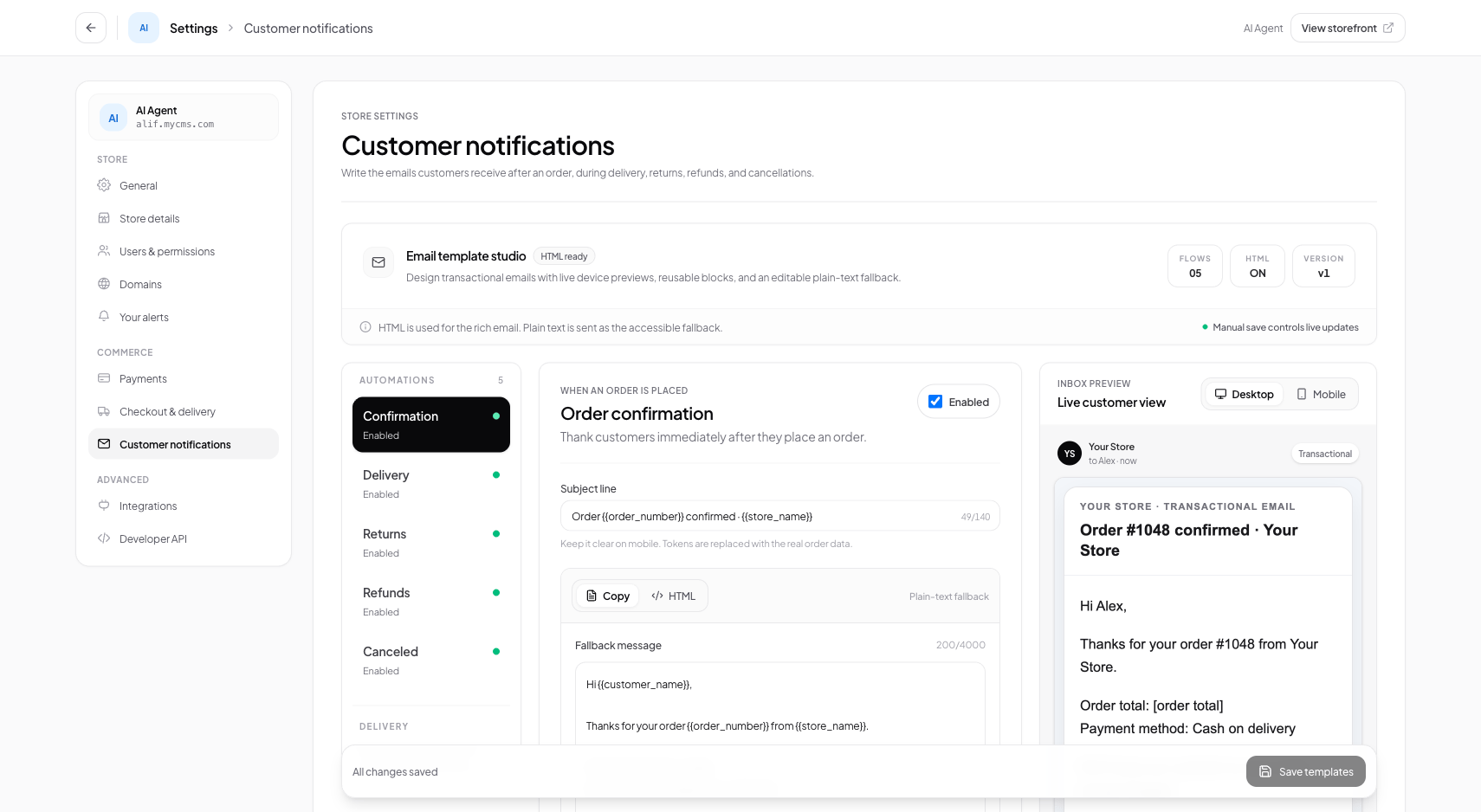
Interface view for this workflow.
1. Customizing Notification Message Templates
You can customize the wording of each notification to reflect your brand's voice.
Use dynamic merge tags such as {{customerName}}, {{orderNumber}}, and {{trackingUrl}}. Conversora replaces these placeholders with live customer data upon dispatch.
Open Notification Settings
From the admin menu, select 'Settings' and click 'Customer Notifications'.
Select Event Template
Click on 'Order Shipped' to open the template editor.
Edit Message Copy
Customize the message text and ensure {{trackingUrl}} is included.
Practical Business Scenarios
How leading merchants implement this functionality in daily operations:
Troubleshooting & Common Issues
Diagnose and resolve frequent failure points quickly:
Frequently Asked Questions
Can I send notifications in Bengali or other local languages?
Yes. Notification templates fully support Unicode characters for Bengali, Arabic, and other regional scripts.