
Courier Shipping Rates, Delivery Zones & Local Logistics
Configure delivery zones (Inside Dhaka vs Outside Dhaka), automated shipping rates, and seamless courier integrations with Steadfast, Pathao, and RedX.
- Set up custom delivery zones (e.g. Inside City, Suburbs, Nationwide) with tailored flat rates.
- Connect automated courier APIs (Steadfast, RedX) for one-click parcel booking and tracking generation.
- Offer Free Shipping thresholds (e.g. Free delivery on orders over 2,000 BDT) to increase average order value.
- Automate Cash on Delivery (COD) amount collection and courier payment reconciliation.
Before configuring this feature, confirm that your store meets the following requirements:
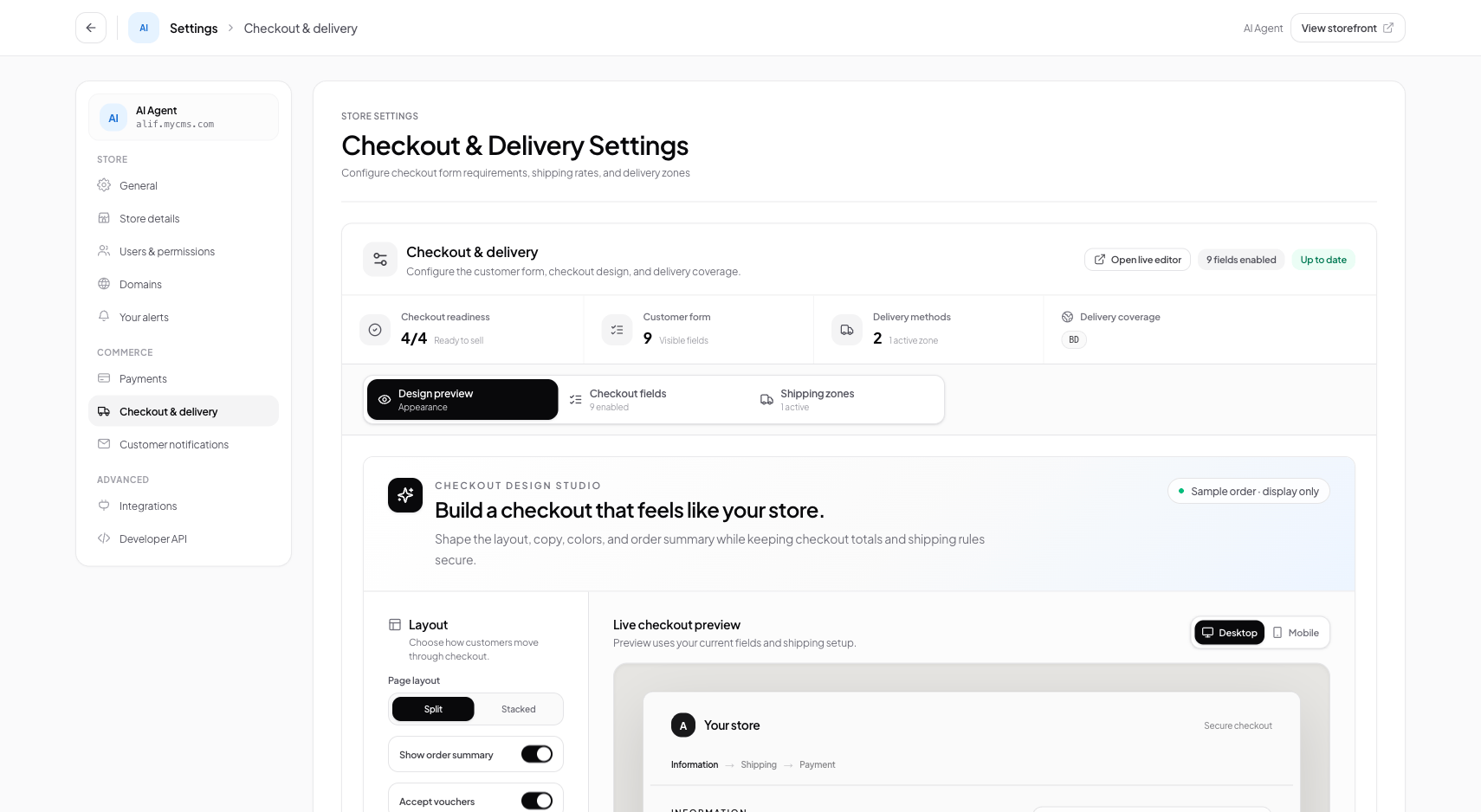
Interface view for this workflow.
1. Configuring Delivery Zones & Flat Rates
Define geographic shipping zones that match your local courier pricing structure. Most regional retailers establish at least two zones: Inside Capital and Outside Capital.
Navigate to Delivery Settings
From the admin menu, select 'Settings' and click 'Checkout & Delivery'.
Add Shipping Zone
Click '+ Add Zone', enter the zone name (e.g. 'Inside Dhaka'), and set the flat shipping fee (e.g. 60 BDT).
Set Free Shipping Threshold
Optionally enter a minimum spend threshold (e.g. 2500 BDT) to unlock free delivery for shoppers.
2. Connecting Courier APIs (Steadfast & RedX)
Automate your daily shipping by linking your courier merchant credentials. Once connected, booking parcels takes a single click from the order table.
Open Courier Integrations
In the Checkout & Delivery workspace, scroll down to 'Courier Integrations'.
Enter API Key & Secret
Select Steadfast or RedX, enter your courier API Key and Secret Key, and click 'Connect'.
Verify Connection
Conversora verifies the credentials with the courier server and displays a green 'Connected' badge.
Always verify your default pickup warehouse address in courier settings so courier delivery drivers arrive at the correct warehouse location.
Practical Business Scenarios
How leading merchants implement this functionality in daily operations:
Troubleshooting & Common Issues
Diagnose and resolve frequent failure points quickly:
Frequently Asked Questions
Does Conversora support Cash on Delivery (COD) amount collection?
Yes. The order total (including shipping fees) is automatically transmitted to the courier as the exact COD collection amount.